SVG in Markdown: documents, paths and configs
There are three ways to write SVG in a fence: a full document, bare path data that follows the text color, or a short key and value config. Invalid bodies fall back to code.
A full SVG document, bare path data that takes the text color, or a key:value config with fills, strokes and gradients. Invalid bodies fall back to a code block.
Markdown source
Markdown · 47 lines# SVG fences
A complete SVG document renders as-is, gradients included:
```svg
<svg viewBox="0 0 200 100" width="200" height="100">
<defs><linearGradient id="g"><stop offset="0" stop-color="#1a3a8f"/><stop offset="1" stop-color="#d53f2a"/></linearGradient></defs>
<rect x="10" y="10" width="180" height="80" rx="12" fill="url(#g)"/>
</svg>
```
Bare path data. The view box is computed from the path, and the color follows the document theme, so an icon written this way looks right on a light and on a dark page:
```svg
M12 2 L2 22 H22 Z
```
Config mode for styled paths without SVG boilerplate. Several `d` lines paint in order:
```svg
d: M50 5 L61 39 H97 L68 60 L79 94 L50 73 L21 94 L32 60 L3 39 H39 Z
fill: none
stroke: #1a3a8f
stroke-width: 3
stroke-linejoin: round
width: 140
```
```svg
d: M10 50 A40 40 0 1 1 90 50 A40 40 0 1 1 10 50 Z
d: M30 50 L45 65 L72 35
fill: none
stroke: #0f766e
stroke-width: 6
stroke-linecap: round
stroke-linejoin: round
width: 110
```
A gradient and a background in config mode:
```svg
d: M20 80 L50 20 L80 80 Z
gradient: linear 90 #f59e0b #dc2626
background: #fff7ed
width: 120
```
Rendered pages
PDF · 1 page · 9 KB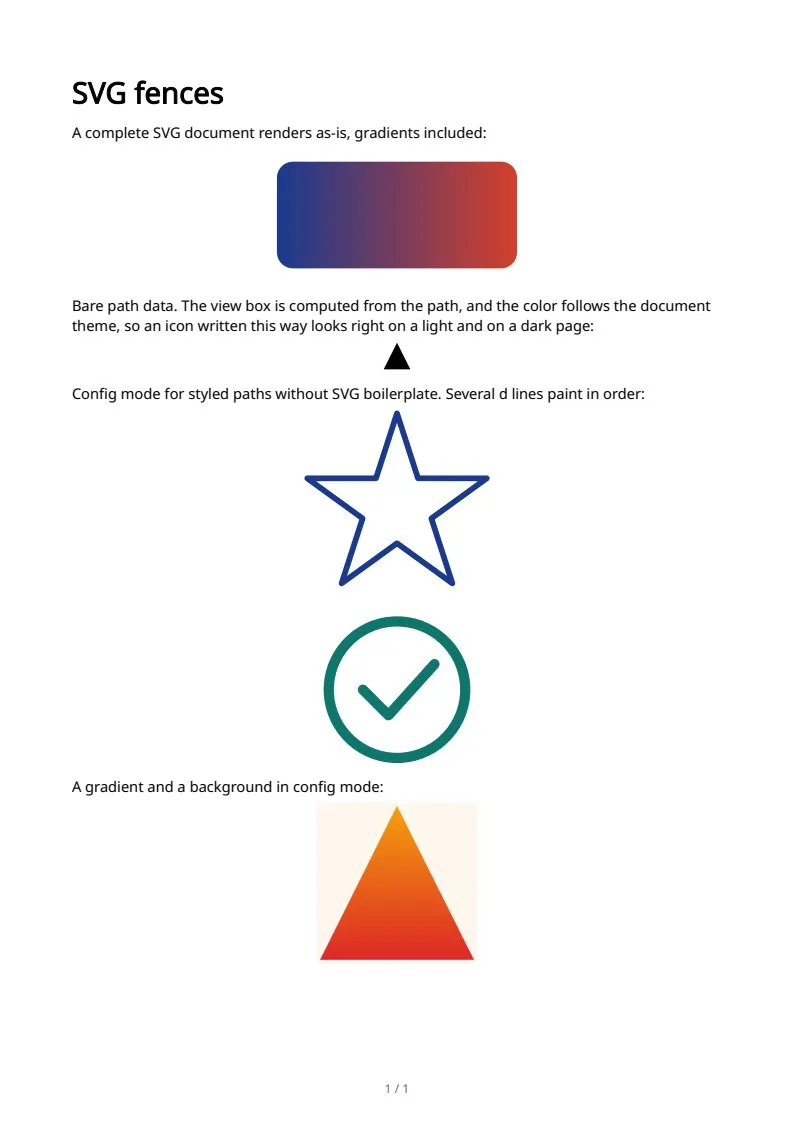
The sample documents describe invented organizations in several countries. All names and figures are illustrative.
SVG graphics in Markdown to PDF: every sampleIn the Markdown reference