Embedded HTML and CSS in Markdown to PDF
HTML blocks render with their own styles, and each block's CSS applies to that block only, so one box cannot restyle the rest of the document.
HTML blocks render with their own styles: a table with rowspan and colspan, a styled box with a <style> block, inline SVG. Each block's CSS is scoped to it. Toggle: html_blocks.
Markdown source
Markdown · 33 lines# Embedded HTML
Markdown tables cannot merge cells. An HTML table can:
<table style="width:100%;border-collapse:collapse">
<thead>
<tr><th style="background:#e2e8f0;padding:8px;border:1px solid #94a3b8">Region</th><th style="background:#e2e8f0;padding:8px;border:1px solid #94a3b8">Quarter</th><th style="background:#e2e8f0;padding:8px;border:1px solid #94a3b8;text-align:right">Units</th></tr>
</thead>
<tbody>
<tr><td rowspan="2" style="padding:8px;border:1px solid #94a3b8">Europe</td><td style="padding:8px;border:1px solid #94a3b8">Q1</td><td style="padding:8px;border:1px solid #94a3b8;text-align:right">12,400</td></tr>
<tr><td style="padding:8px;border:1px solid #94a3b8">Q2</td><td style="padding:8px;border:1px solid #94a3b8;text-align:right">13,150</td></tr>
<tr><td rowspan="2" style="padding:8px;border:1px solid #94a3b8">Asia Pacific</td><td style="padding:8px;border:1px solid #94a3b8">Q1</td><td style="padding:8px;border:1px solid #94a3b8;text-align:right">18,900</td></tr>
<tr><td style="padding:8px;border:1px solid #94a3b8">Q2</td><td style="padding:8px;border:1px solid #94a3b8;text-align:right">21,300</td></tr>
<tr><td colspan="2" style="padding:8px;border:1px solid #94a3b8;font-weight:bold">Total, first half</td><td style="padding:8px;border:1px solid #94a3b8;text-align:right;font-weight:bold">65,750</td></tr>
</tbody>
</table>
A block can carry its own stylesheet. The rules apply to this block only, so the Markdown around it keeps the document style:
<div>
<style>
.callout { border-left: 6px solid #0f766e; background: #f0fdfa; padding: 12px 16px; }
.callout h3 { margin: 0 0 6px 0; color: #0f766e; font-size: 16px; }
.callout p { margin: 0; color: #134e4a; }
</style>
<section class="callout"><h3>Delivery window</h3><p>Orders placed before 14:00 local time ship the same day from the nearest warehouse.</p></section>
</div>
Inline SVG inside HTML shares the vector renderer:
<div><svg width="240" height="48" viewBox="0 0 240 48"><rect width="240" height="48" rx="10" fill="#1e3a5f"/><circle cx="26" cy="24" r="12" fill="#f59e0b"/><text x="48" y="30" fill="white" font-size="18" font-family="sans-serif">Northwind Freight</text></svg></div>
Scripts, frames and event handlers are removed before rendering, so a document can embed HTML from a template without risk. With `html_blocks` off, the blocks above print as code.
Rendered pages
PDF · 1 page · 12 KB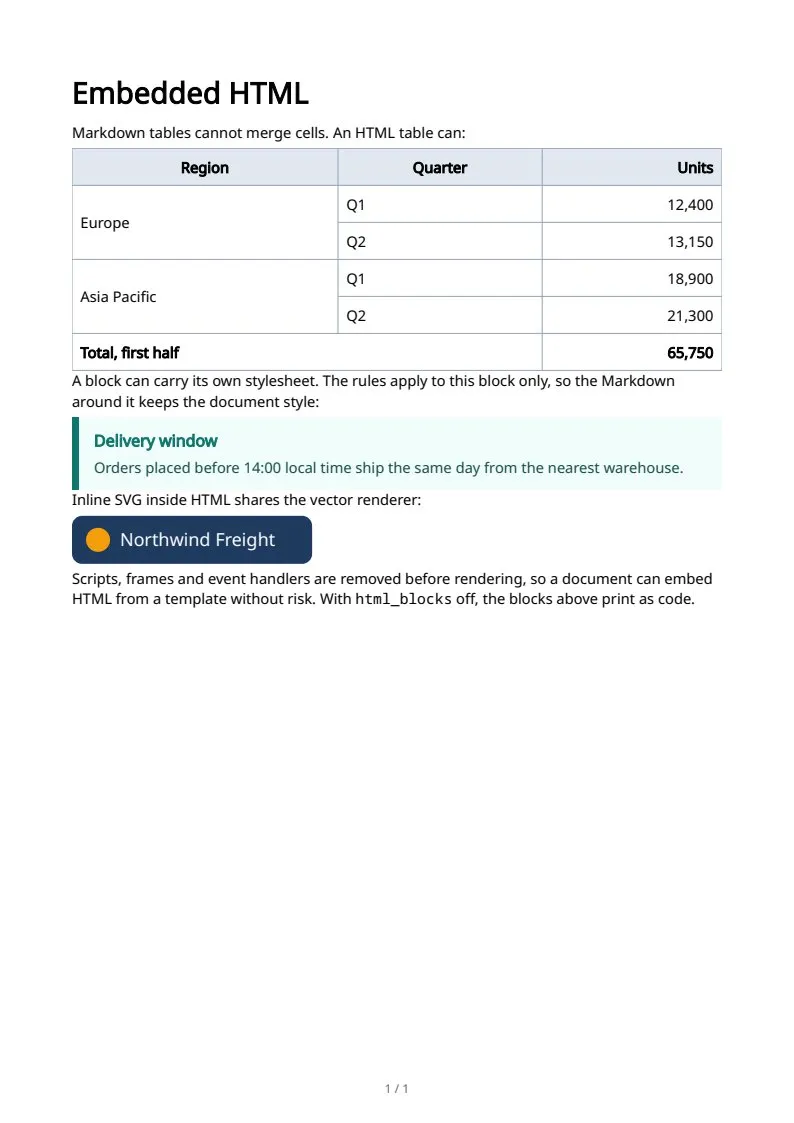
The sample documents describe invented organizations in several countries. All names and figures are illustrative.
Markdown text and structure in PDF: every sampleIn the Markdown reference