Markdown bold, italic, highlight and keys in PDF
Inline styles nest in any order, and highlight, keyboard keys, superscript and subscript are there for units and formulas in prose. Elsewhere the less common marks often arrive as literal symbols.
Bold, italic, code and strikethrough nest freely, plus ==highlight==, <kbd> keys, ^superscript^ and ~subscript~ for units and formulas in prose.
Markdown source
Markdown · 17 lines# Inline formatting
**Bold**, *italic*, `inline code`, ~~strikethrough~~, and nesting:
**bold with *italic* and `code` inside**, *italic with **bold** inside*.
Water is H~2~O, carbon dioxide is CO~2~, the area of a circle grows with r^2^,
and 1 km^2^ is 10^6^ m^2^. Press <kbd>Ctrl</kbd>+<kbd>S</kbd> (or <kbd>⌘</kbd>+<kbd>S</kbd>)
to save, and ==highlight what the reader must not miss==.
A bit of inline HTML works as well: <b>bold</b>, <u>underline</u>, <s>struck</s>,
x<sup>2</sup>, H<sub>2</sub>O, and <span style="color:#1a3a8f">a colored span</span>.
Links carry formatting too: [**the bold link**](https://example.com),
[`a code link`](https://example.com), and ~~[a retired link](https://example.com)~~.
Escapes keep characters literal: \*not italic\*, \`not code\`, 5 \* 3 = 15, and a
backslash itself: C:\\Users.
Rendered pages
PDF · 1 page · 16 KB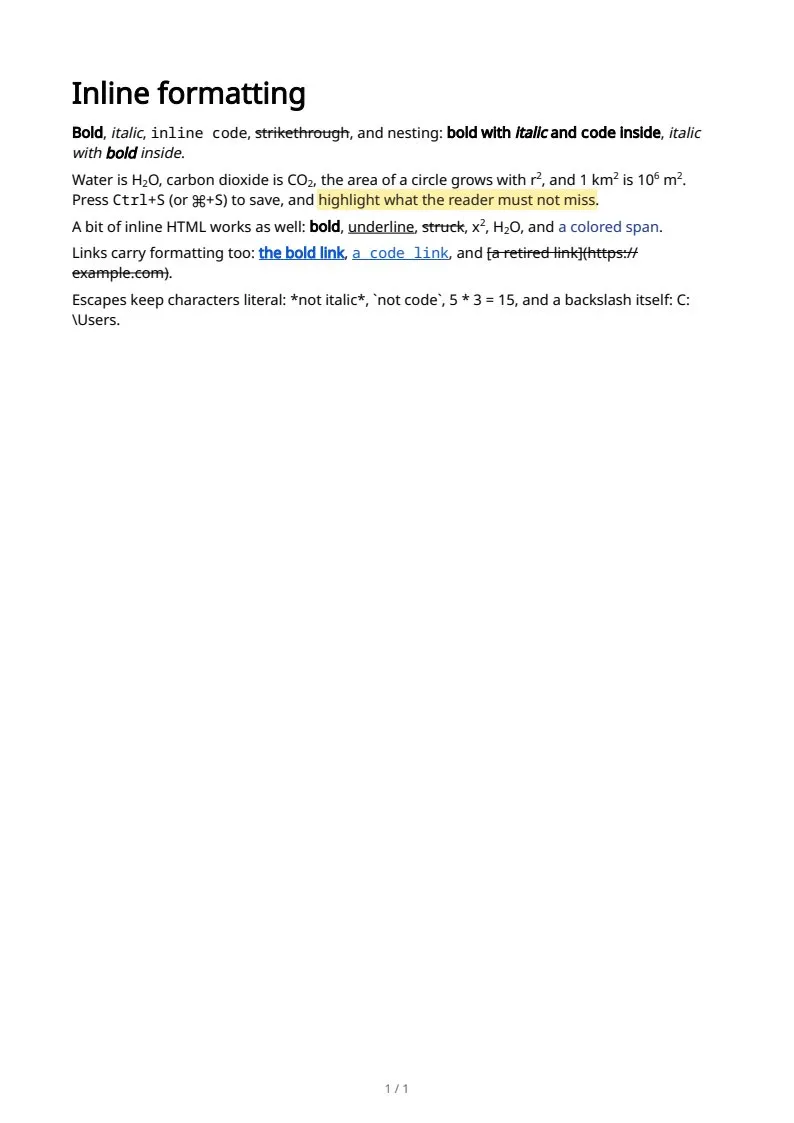
The sample documents describe invented organizations in several countries. All names and figures are illustrative.
Markdown text and structure in PDF: every sampleIn the Markdown reference