Markdown links and internal anchors in PDF
Every link stays clickable in the PDF, including bare URLs, email addresses and jumps to headings inside the document. Elsewhere jumps to headings often stop working in the PDF.
Inline, reference-style and automatic links, bare URLs and email addresses that become links on their own, and jumps to headings inside the document.
Markdown source
Markdown · 20 lines# Links & anchors
External: [the example site](https://example.com), a reference link to [the same site][example] defined at the bottom, an autolink in angle brackets <https://example.com/docs>, and a bare address that becomes a link on its own: https://example.com/report. So does an email address: contact@example.com.
Internal: jump to [the bottom section](#the-bottom-section). The link works inside the PDF, and the viewer's Back control returns you here.
Reference links keep long URLs out of the prose, which matters in a paragraph like this one, where three sources are cited in a row: [the first][src1], [the second][src2] and [the third][src3].
[example]: https://example.com
[src1]: https://example.com/sources/1
[src2]: https://example.com/sources/2
[src3]: https://example.com/sources/3
## A section in between
Enough prose to push the target onto a later line: the anchor of a heading is its text in lower case with the spaces turned into hyphens and the punctuation dropped, so "The bottom section" becomes `#the-bottom-section`.
## The bottom section
You made it. Now [go back to the top](#links-anchors).
Rendered pages
PDF · 1 page · 12 KB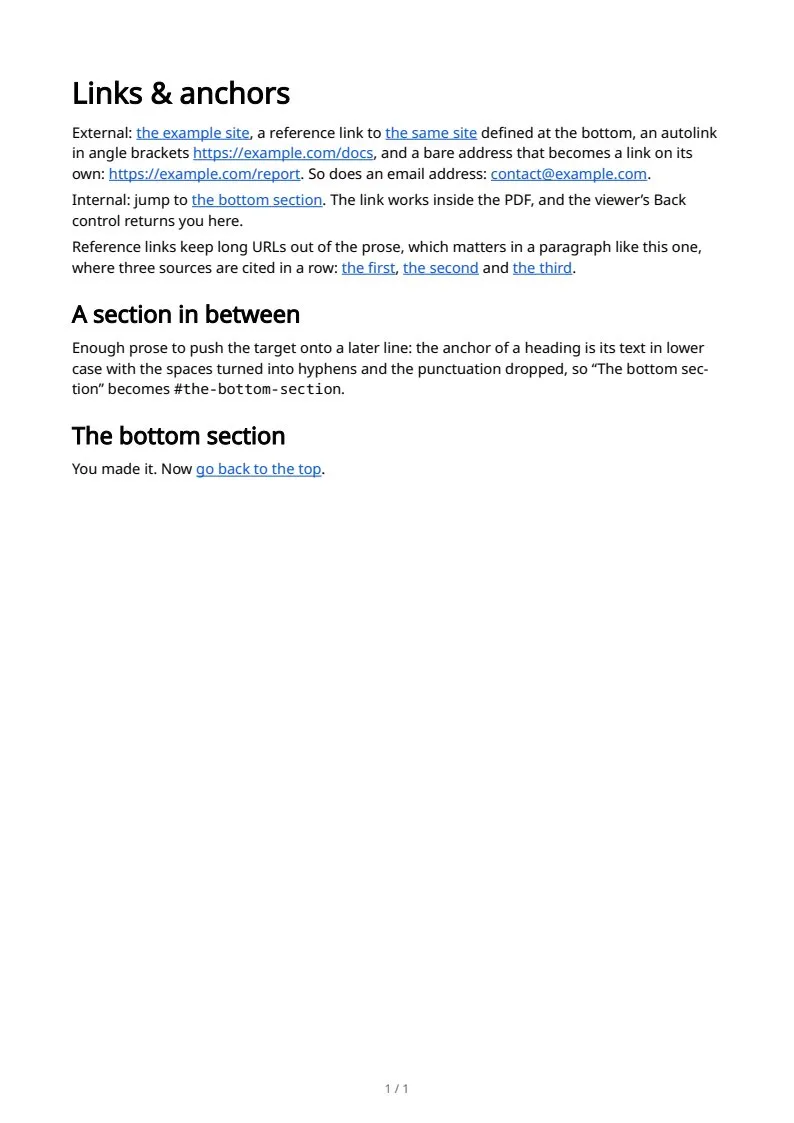
The sample documents describe invented organizations in several countries. All names and figures are illustrative.
Markdown text and structure in PDF: every sampleIn the Markdown reference