Markdown task lists as PDF checkboxes
Each task item becomes a form checkbox the reader can check in the PDF viewer, not a printed square. With the switch off, the markers are printed instead.
- [ ] becomes a real form checkbox you can tick in the PDF viewer, nested or not. Toggle: tasks (off: printed markers).
Markdown source
Markdown · 27 lines# Pre-departure checklist, research vessel
Tick the boxes in your PDF viewer. They are real form fields, and the ticks are saved with the file.
## Vessel
- [x] Fuel and fresh water tanks full
- [x] Life rafts inspected, certificates on board
- [ ] Engine room log signed by the chief engineer
- [ ] Navigation lights tested after dark
## Science party
- [x] Sampling plan agreed with the captain
- [ ] Hazardous materials declared
- [x] Formalin, 20 liters
- [ ] Liquid nitrogen, 2 dewars
- [ ] Lithium batteries for the gliders
- [ ] Every scientist has completed the safety briefing
## Before casting off
- [ ] Weather routing received for the first 72 hours
- [ ] Port authority informed of departure time
- [ ] Head count matches the crew list
With `tasks: false` the same list prints plain markers for a document that will be signed on paper.
Rendered pages
PDF · 1 page · 22 KB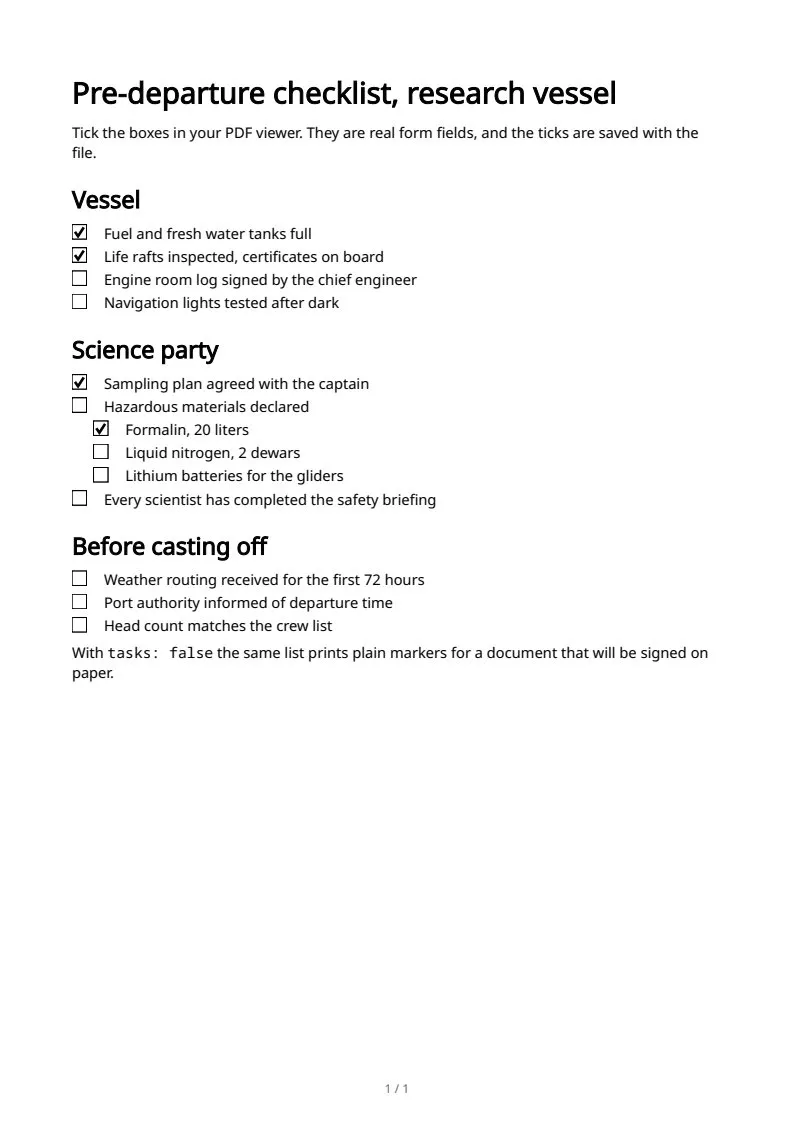
The sample documents describe invented organizations in several countries. All names and figures are illustrative.
Markdown text and structure in PDF: every sampleIn the Markdown reference